Home
Powered by Rust
Realer Xpad
Sticky notes for Linux that speak Markdown and let you doodle. Wayland-native, Hyprland-ready, and powered by Rust.





Small notes, fewer compromises
xpad got one thing right: notes that just sit there on your desktop, ready for a thought. Realer Xpad keeps that and adds what was missing.
-
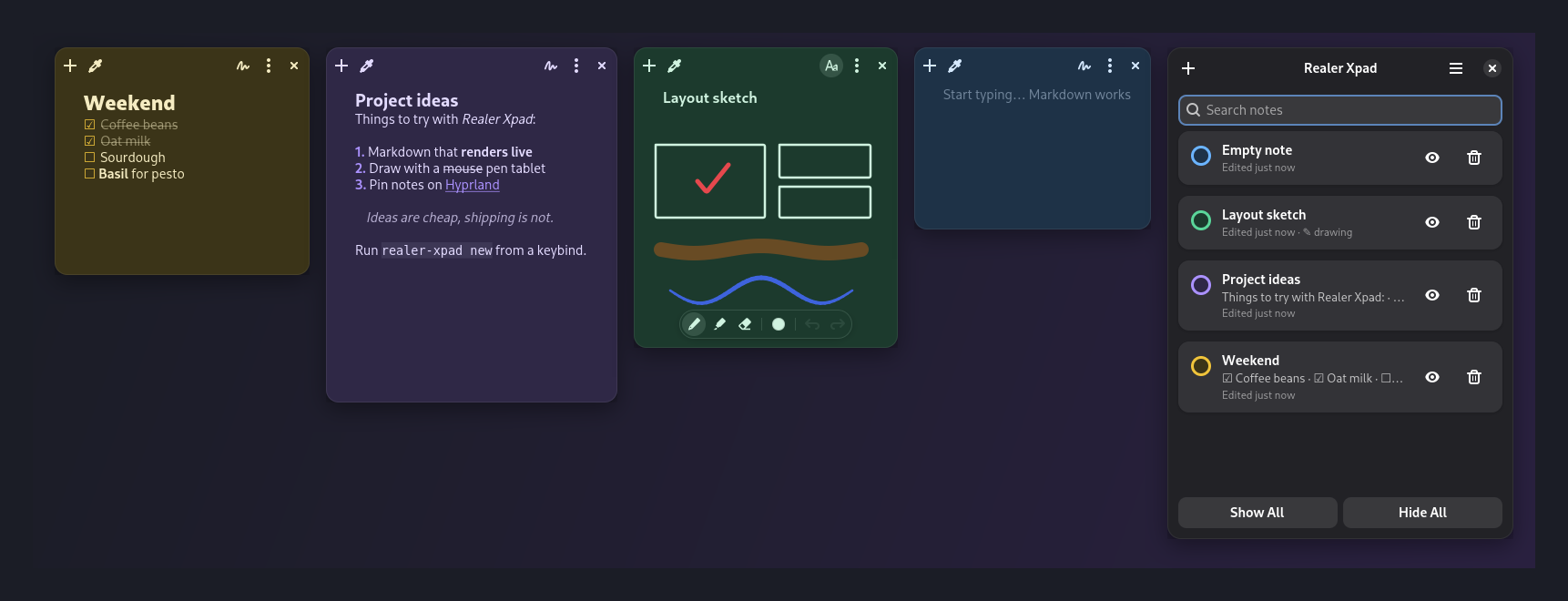
Live Markdown
Headings, bold, italic,
code, quotes and links, styled as you type. Click away and the note switches to a clean read view. -
Checklists that click
- [ ]becomes a real checkbox. Enter continues a list and Tab nests it. -
A pen, a highlighter, an eraser
Sketch over your text with stylus pressure, six inks and undo. The default ink adapts to light and dark mode.
-
Seven moods
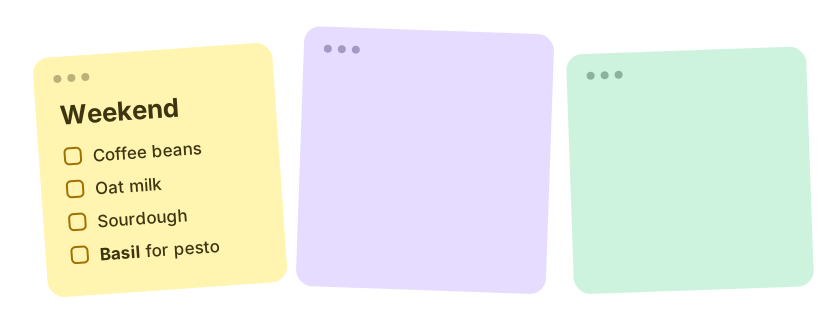
Lemon, peach, rose, lavender, sky, mint and graphite, each with a hand-tuned dark variant that follows your system theme.
-
Hyprland-native
Notes float, return to where you left them, and pin to every workspace through Hyprland's IPC.
-
Powered by Rust
A single ~3 MB binary that starts fast and uses about a third less memory than the Python version did. Notes are still plain
.mdfiles you can grep.
Write it plain, read it pretty
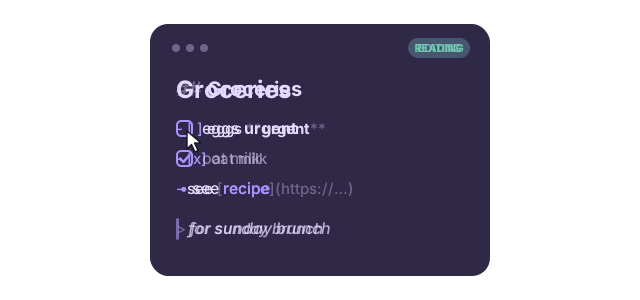
You type ordinary Markdown. Realer Xpad dims the syntax while you edit, so the structure stays visible without getting in the way. When you click away, the note switches to a clean rendered view where checkboxes and links are clickable.
Lists continue themselves, Ctrl+B and Ctrl+I wrap your selection, and code fences switch off formatting inside them.
Stays with you on every workspace
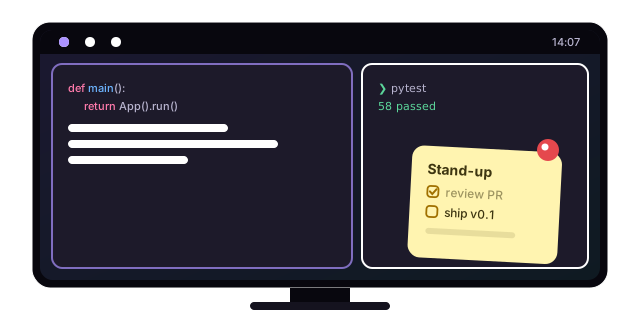
Pin a note and it follows you across workspaces, for that one thing you can't forget today. Notes also remember their exact position and size between sessions, because Realer Xpad asks Hyprland where you put them.
Bind realer-xpad new and realer-xpad toggle to keys and notes are always one shortcut away.
Stick a note on it
Free and open source under AGPL-3.0. Built with Rust, GTK 4 and libadwaita.